
Collections
Save, organize, and share your API requests with collections.
Echolon helps you organize your API requests with collections. You can create collections and add requests to them to share with your team or to use later. You can also import and export collections from Echolon, OpenAPI, and Postman.
You can access the collections by clicking the "Collections" icon on the side panel.
Creating a new collection
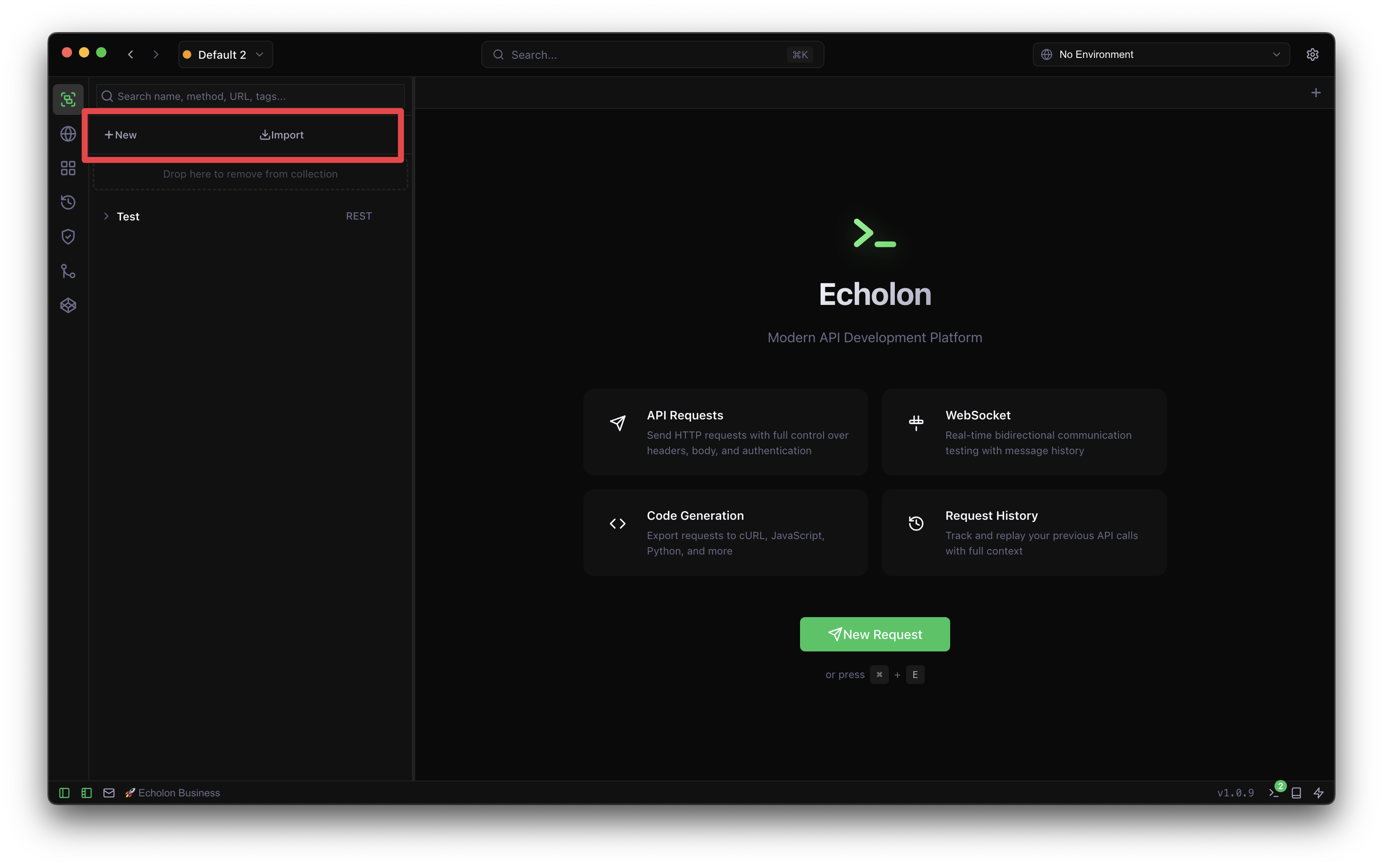
To create a new collection, click on the "New" button on the collections section and enter the name of the collection.
Save requests to collections
To add a new request to your collection, you can click on the "Save" button on the request page and select the collection you want to add it to. Click on the drop-down menu next to the save button and click on "Save as" to save the request to a new location.
Ctrl/Cmd + S to save the
request to a collection.
Organizing collections
You can organize your collections by dragging and dropping them to the desired location.
Editing collections
To edit a collection, click on the "Edit" button on the collection's options menu.
Adding requests to collections
To add a request to a collection, click on the "New request" button on the collection's options to save the current request to the collection.
Duplicating collections
To duplicate a collection, click on the "Duplicate" button on the collection's options menu.
Deleting collections
To delete a collection, click on the "Delete" button on the collection's options menu.
Importing and exporting collections
You can import and export collections from Echolon, OpenAPI, and Postman.
Importing collections
To import a collection, click on the "Import" button in the collections section and select the collection type you want to import.
Exporting collections
To export a collection, click on the "Export" button on the collection's options and select the format you want to export.
Collection Properties
Collection properties enable you to define settings that universally apply to all requests within the collection. At the collection level, you can configure:
- Reference - An overview over all requests in the collection in one page
- Overview - An overview over the collection and its main properties
- Environments - Define environments and variables for the collection
- Auth - Set authentication for all requests in this collection
- Headers - Define common headers that will be applied to all requests in this collection
- Sync - Sync the collection with a remote API spec (only if imported via a remote url)